 Night Screen
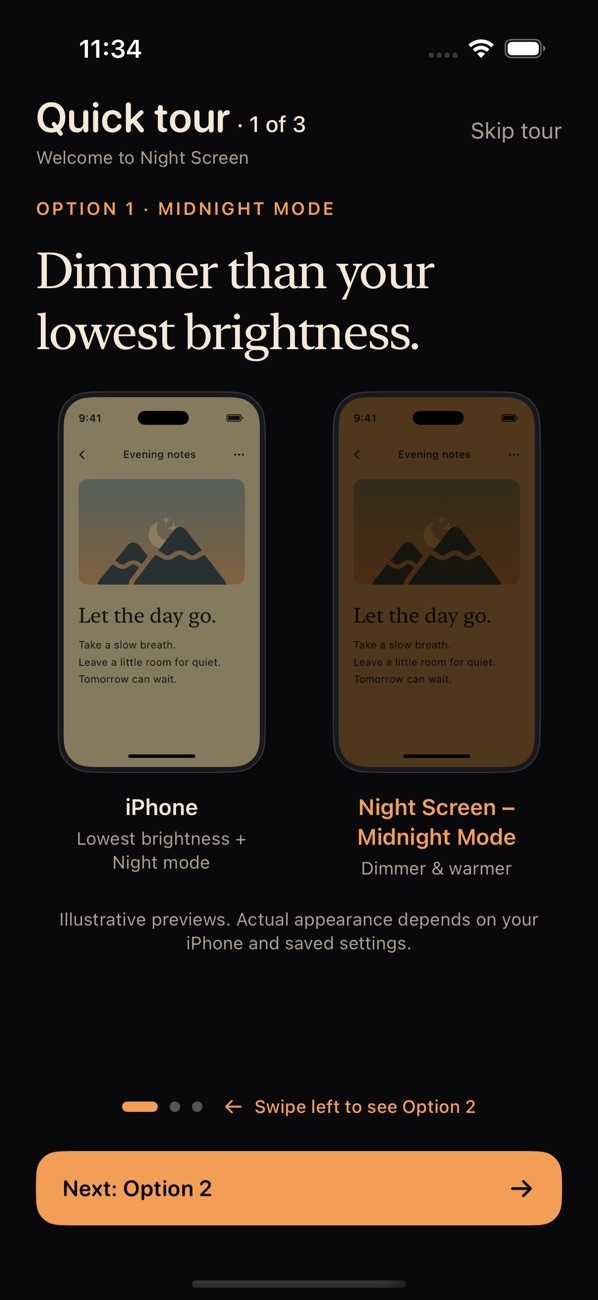
Midnight
Dimmer and warmer
Minimum brightness, Reduce White Point and Night Shift together. Whites stop glowing and the whole screen drops below the slider’s lowest point.
For iPhone · iOS 17 or later
Night Screen makes your iPhone darker and warmer than its lowest brightness setting, so you can read and scroll in a dark room without the glare.

14-day free trial for new subscribers
then $0.99/month or $7.99/year

On your computer?Scan with your iPhone camera
to open the App Store.
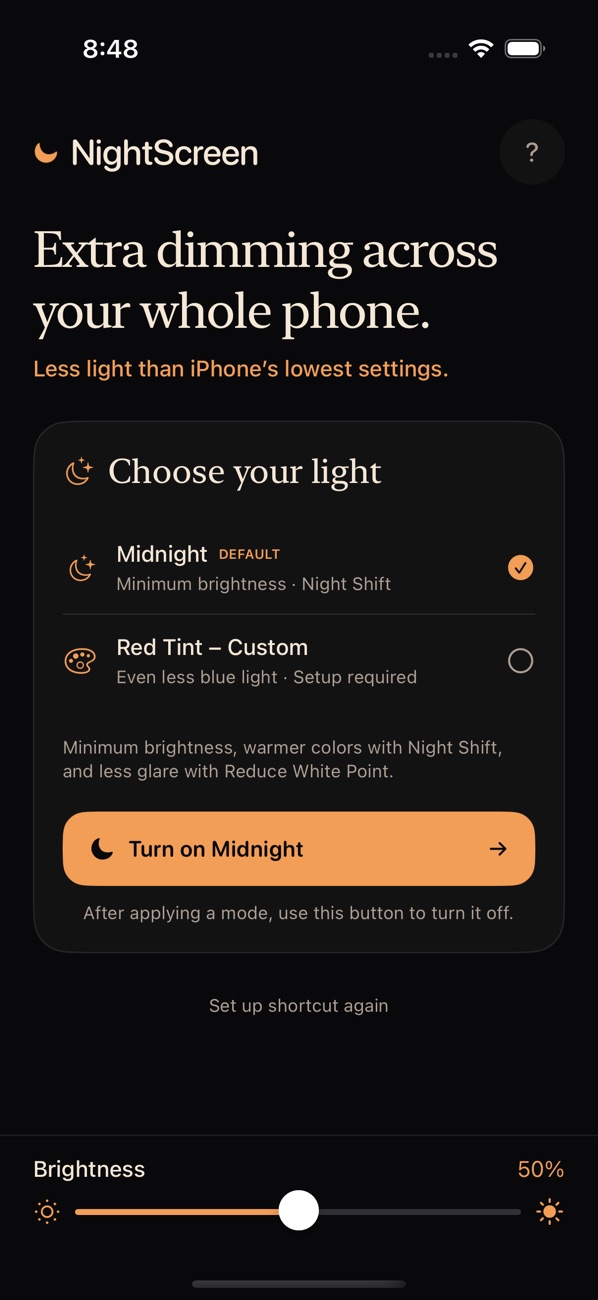
Two modes
iPhone’s brightness slider stops before the screen is truly dark. Night Screen combines iPhone’s own display settings to go further, across every app.
Midnight
Minimum brightness, Reduce White Point and Night Shift together. Whites stop glowing and the whole screen drops below the slider’s lowest point.
Red Tint
Adds your own red Color Tint for the least blue light of the two modes. Set it once in iPhone Settings with the in-app guide, then reuse it every night.
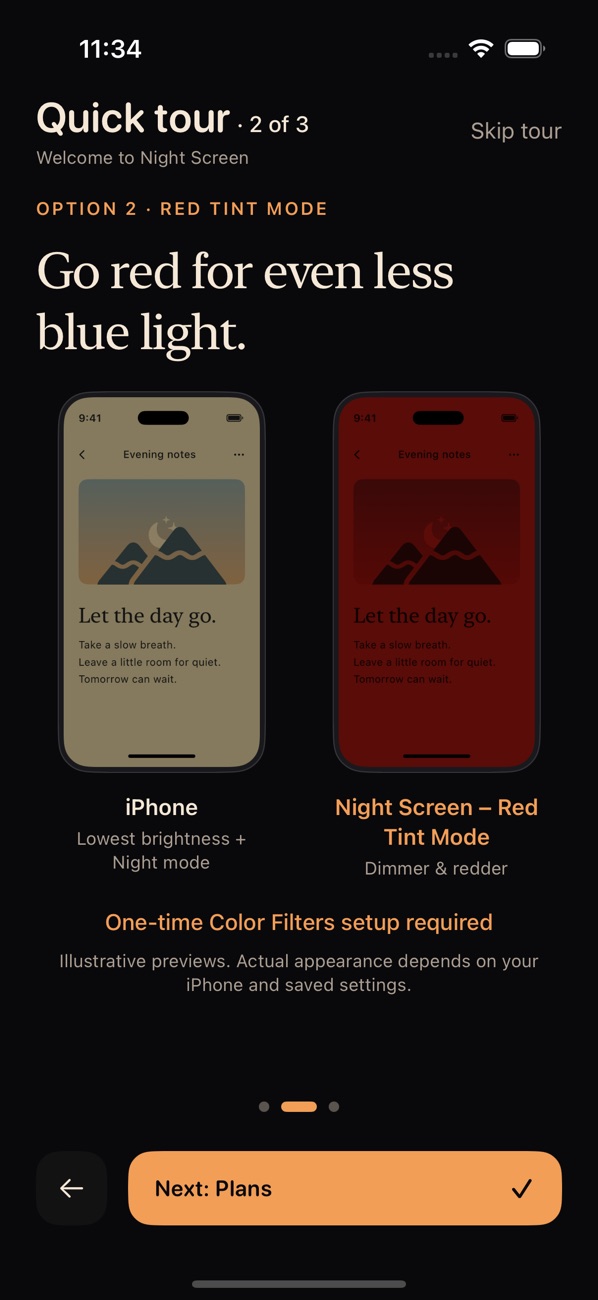
Screenshots show the app’s illustrated previews. Actual appearance depends on your iPhone and saved display settings.
How it works
Night Screen walks you through adding the NightScreen Modes shortcut to Apple Shortcuts. It’s built only from Apple’s own display actions.
Midnight works right away. For Red Tint, follow the short guide to set a red Color Tint in iPhone Settings.
Turn your mode on at night. When you’re done, Turn off night mode resets your display. Turning off is always free.
Light at night
Light is the strongest signal your body clock uses to tell day from night. In the evening, it can hold back melatonin, the hormone that helps your body get ready for sleep. Here’s what research shows, and what it doesn’t.
< 30 lux
In a 2019 lab study of 55 adults, evening light around the level of ordinary indoor lighting was enough to cut melatonin by half on average. Some people were over 50 times more sensitive than others.
Phillips et al., PNAS, 2019
~10 min
In a small study, people who read on a bright tablet before bed instead of a printed book had less melatonin, a later body clock, took about 10 minutes longer to fall asleep, and felt less alert the next morning.
Chang et al., PNAS, 2015
3 hours
A 2022 expert consensus recommends keeping evening light below 10 lux melanopic EDI, a measure of how strongly light affects the body clock, for the three hours before bed.
Brown et al., PLOS Biology, 2022
Color alone
In a study of 167 young adults, an hour of iPhone use before bed with Night Shift on made no measurable difference to sleep compared with Night Shift off. Shifting color without reducing light may not be enough.
Duraccio et al., Sleep Health, 2021
Both Night Screen modes lower the total light from your screen, using minimum brightness and Reduce White Point, before shifting color. The body clock’s light sensors respond most to blue-cyan light around 480 nm and least to deep red, so Red Tint moves the whole screen to the far end of the spectrum.
Lucas et al., Trends in Neurosciences, 2014
Privacy
Pricing
Both plans include Midnight and Red Tint. The guides, the brightness slider and turning night mode off are free for everyone.
$0.99 / month
$7.99 / year
US prices. Prices in other regions are shown in the app. Trial eligibility is determined by Apple. Subscriptions renew automatically unless canceled at least 24 hours before the end of the trial or current period. Manage or cancel in iPhone Settings under your Apple Account’s Subscriptions.
Download
Requires iOS 17 or later. 14-day free trial for new subscribers.
Questions
Yes. Night Screen’s modes use iPhone’s own display settings (brightness, Reduce White Point, Night Shift and Color Filters), so the effect applies across the whole phone, not just inside Night Screen.
Apps can’t change these system display settings directly. Night Screen includes a ready-made shortcut built entirely from Apple’s own actions and walks you through adding it once. After that, you turn modes on and off from Night Screen.
Tap Turn off night mode in the app. It removes the night settings and sets brightness to 40%. Without an active subscription, you can turn Night Shift, Reduce White Point and Color Filters off in iPhone Settings.
Both modes shift your screen toward warmer colors, and Red Tint shifts it furthest. We don’t claim a measured blue-light reduction because results depend on your iPhone and settings. Both modes also lower overall brightness, which reduces all the light your screen gives off.
Yes. iOS keeps Color Filters settings private, so the app guides you to set your red tint once in Settings → Accessibility → Display & Text Size → Color Filters. Night Screen then reuses it every night.
An iPhone running iOS 17 or later, and the Apple Shortcuts app, which comes with iOS.